Control Panel: A Step-by-Step Guide for Monitoring

In the digital age, effective monitoring isn’t just about collecting data — it’s about managing it smartly, securely, and in real-time. That’s where the Control Panel comes in. Whether you’re a parent, employer, or individual concerned about digital safety, a control panel is the central hub that gives you full access to monitored device activity — without ever having to touch the target device again.
In this step-by-step guide, we’ll walk you through how to use a monitoring control panel, what features to expect, and how tools like XOXOSpy make this process both simple and powerful.
What Is a Monitoring Control Panel?
A monitoring control panel is a secure online dashboard that allows you to:
- View real-time and historical data from the monitored device
- Access call logs, messages, app usage, location, and more
- Adjust monitoring settings remotely
- Set alerts and download reports
- Control restrictions (block apps, websites, etc.)
It’s the heart of any good spy or parental control software.
Step-by-Step: How to Use a Control Panel for Monitoring
Step 1: Install the Monitoring App
First, you need to install a monitoring app (like XOXOSpy) on the target device. This process usually involves:
- Getting physical access to the device (at least for a few minutes)
- Downloading and installing the monitoring app
- Setting it to stealth mode so it runs invisibly
- Granting necessary permissions for full monitoring
Once installed, the app begins collecting data and syncing it to your control panel.
Step 2: Log In to the Control Panel
After installation, log in to your control panel from any web browser using your account credentials. Most services offer secure, encrypted access, so your data remains protected.
With XOXOSpy, you can also access the control panel via mobile for quick, on-the-go updates.
Step 3: Explore the Dashboard
Once inside the control panel, you’ll see a dashboard overview with the most recent activity. Key sections include:
- Call Logs — See all incoming and outgoing calls, durations, and timestamps.
- Messages — View SMS, social media messages, and deleted texts.
- Installed Apps — Monitor what apps are downloaded and used.
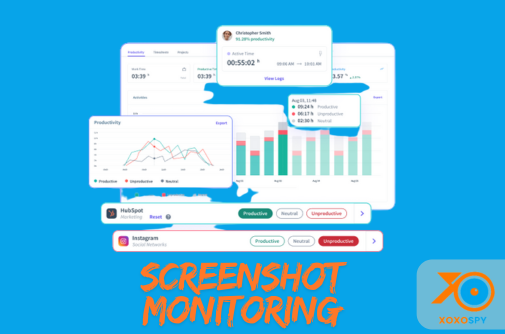
- Screenshots & Screen Recording — Access periodic captures of screen activity.
- Location Tracking — View real-time GPS data and location history.
- Web History — Check which websites are visited and when.
- Keylogger — Review everything typed on the device.
Step 4: Customize Settings and Alerts
Many control panels let you set custom alerts, such as:
- Keywords (e.g., “self-harm”, “meet up”)
- Geo-fencing (alerts when someone enters/leaves a zone)
- Time limits for screen usage
- App or website blocks
This allows you to monitor proactively, not just passively.
Step 5: Download Reports or Export Data
Need to keep a record or analyze trends? Most control panels allow you to:
- Download activity reports
- Export logs as PDFs or CSVs
- View weekly or monthly summaries
This is especially useful for employers or parents who want to evaluate patterns over time.
Step 6: Manage Multiple Devices (Optional)
If you’re monitoring more than one device (e.g., multiple children or employees), the control panel often allows you to:
- Switch between devices
- Group them by user
- Set different permissions for each device
XOXOSpy, for example, supports multiple device monitoring with a single login — ideal for families and organizations.
Why the Control Panel Matters
Without a powerful control panel, monitoring software is just passive data collection. A well-designed panel gives you:
- Clarity — See everything from one place
- Control — Set limits, block content, and configure remotely
- Convenience — Get updates anytime, anywhere
- Security — Keep data safe with encrypted access
Final Thoughts
If you’re using a monitoring app like XOXOSpy, the control panel is your command center. It simplifies how you view, manage, and act on device data — without needing technical expertise.
Whether you’re protecting your child online, ensuring employee productivity, or securing a personal device, mastering the control panel is the key to effective, responsible monitoring.


Comments
Post a Comment